Foreword
Two labels show up on almost every VPS order page: managed VPS and unmanaged VPS. The managed one often costs several times more. That gap raises a fair question: what are you actually paying for? Let’s break down what each option covers, where the hidden costs sit, and which one fits your situation.
1. What “Managed” Actually Covers
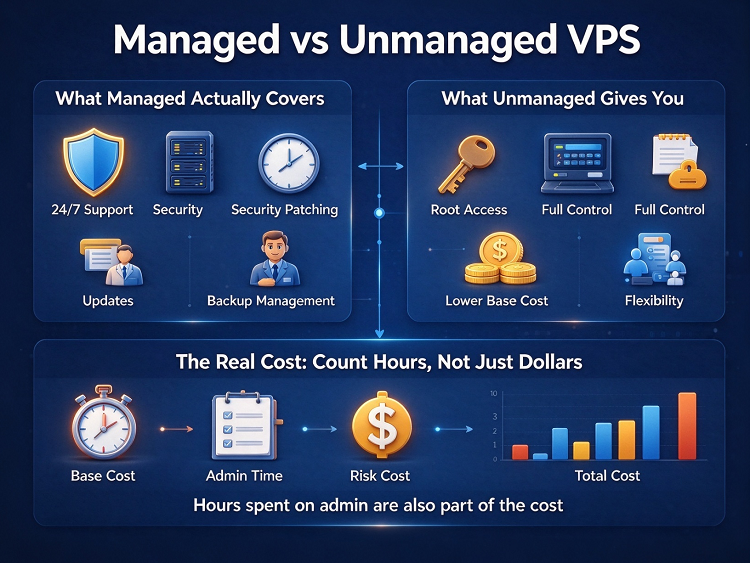
With a managed VPS, the provider runs the server for you. Typical coverage includes OS installation and updates, security patching, basic monitoring, and a support channel. Some plans add backups or firewall management. You still install and run your own applications on top.
One warning: “managed” is not a standard. Coverage varies a lot between providers. Check the feature list before you pay, not after something breaks.
2. What “Unmanaged” Gives You
An unmanaged VPS hands you the keys. You get root access, a clean OS, and full control. You also get every job that comes with it: updates, hardening, troubleshooting, and recovery.
That is not a bad deal. It is cheaper, more flexible, and often more powerful. My own servers run unmanaged, on machines from VMRack’s self-built data center at Equinix LA4 in Los Angeles — full control is exactly why. But control has a price, and it is not measured in dollars.
3. The Real Cost: Count Hours, Not Just Dollars
The price tag on an unmanaged VPS is only part of the bill. The rest is your time and your skills.
Every unmanaged server needs occasional work: patching a kernel, tracing a memory leak, cleaning up a full disk. I covered one such case in an earlier post, High VPS Memory Usage: Is It an Application Issue or a System Problem? On an unmanaged box, that investigation belongs to you.
So estimate honestly: how many maintenance hours per month, and what is your hour worth? For a developer, the math favors unmanaged. For someone who just wants a website online, managed often wins even at a higher sticker price.
4. Which One Fits You
A quick match by scenario:
· Personal blog, low interest in server admin: managed — the choosing part is covered in an earlier post, How to Choose a VPS for Personal Blogging: Tips and Precautions;
· Developer or learner who wants root access: unmanaged, no doubt;
· Small team with an ops person: unmanaged usually wins on cost;
· Business-critical site with no ops staff: managed, or at least a strong support plan.
If you are still between the two, ask one question: when something breaks at 2 a.m., who fixes it? Your answer decides your plan.
Conclusion
Neither option is better in general. A managed VPS buys back your time. An unmanaged VPS pays you for your skills. Match the plan to who does the admin work — you or the provider — and the price gap stops being confusing.
Thank you very much for reading to the end!