Foreword
When you buy a VPS, the product page often lists a word like “KVM” or “OpenVZ”. Many buyers skip this detail. That word describes how the provider slices a physical server into virtual ones. It affects your performance, your isolation, and what you can run. This article explains both technologies in plain terms. It also tells you how to check which one you are using, and how to choose between them.
What Is KVM?
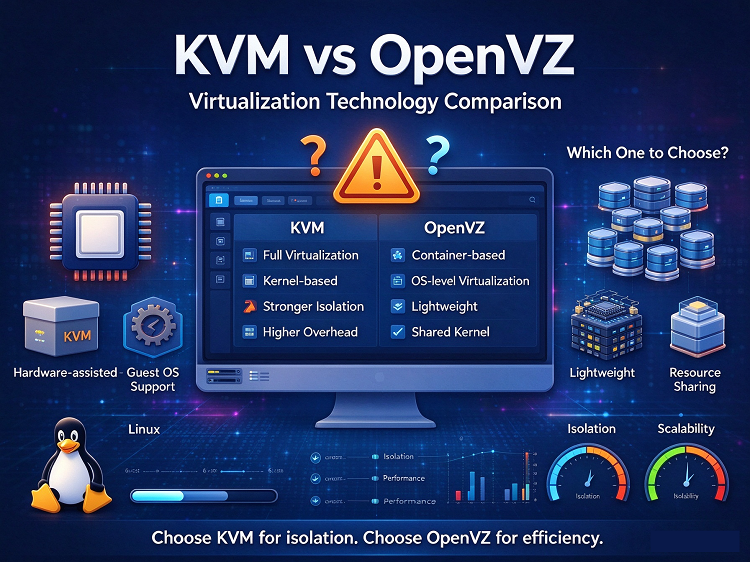
KVM stands for Kernel-based Virtual Machine. It is a full virtualization technology built into the Linux kernel. Each VPS runs as a true virtual machine with its own kernel. To the guest system, KVM looks like real hardware. With Virtio paravirtualized drivers, the performance overhead is small in daily use.
What Is OpenVZ?
OpenVZ is an operating-system-level virtualization technology for Linux. It is the open source version of the commercial Virtuozzo platform. There is no traditional hypervisor layer. All containers share the host kernel. Each container is isolated, but the separation is much lighter than a full VM. This design lets providers pack many containers onto one machine. That is why OpenVZ plans are often extremely cheap.
The Key Differences
Kernel and Operating System Support
KVM guests run their own kernel. You can run Linux, Windows, or BSD. You can also load custom kernel modules. OpenVZ containers share the host kernel. You can run Linux only. You cannot change the kernel or load your own modules.
Performance and Isolation
KVM allocates dedicated resources to each virtual machine. What you pay for is what you get. OpenVZ containers draw from a shared resource pool. If a neighbor bursts, you may feel it on your box. KVM does add a small virtualization overhead. In practice, Virtio keeps this overhead low. For readers chasing memory or load problems, our article “High VPS Memory Usage: Is It an Application Issue or a System Problem?” covers how neighbor effects show up in monitoring.
Feature Freedom
On KVM, you can run Docker, WireGuard, and BBR. You can also tune kernel parameters freely. On OpenVZ, these features are limited or missing. Docker in particular is not supported on OpenVZ in most cases.
Price and Density
OpenVZ is cheaper because containers share everything. Providers can oversell memory across many containers. KVM costs more because resources are dedicated to each machine.
Here is a side-by-side summary:
Where Is OpenVZ Now?
OpenVZ 7, the latest major release, reached end of life in 2024. New development has stopped. Some budget providers still sell OpenVZ containers today. They still work, but the platform has no future roadmap. New VPS products rarely launch on OpenVZ anymore. LXC, a similar container-based approach, remains active. Still, the hosting market has clearly moved to KVM.
How to Check Which One Your VPS Uses
Providers do not always state this clearly on the sales page. Here are three quick checks you can run.
First, run “systemd-detect-virt” on a Linux box. It usually prints “kvm” or “openvz”.
Second, look at your network interface. OpenVZ containers typically use a “venet0” device. KVM machines usually show “eth0” backed by Virtio.
Third, check whether the path “/proc/vz” exists on your system. If it exists, you are inside an OpenVZ container.
Which One Should You Choose?
Pick KVM if any of these describe you. You plan to run Docker or modern applications. You need Windows. You want custom kernel modules like WireGuard. You care about stable, dedicated performance. You are building something for the long term.
OpenVZ still makes sense in one narrow case. It is a very cheap Linux box for light tasks. Examples include simple scripts, testing, and learning. Even then, check the provider’s reputation first. Overselling hurts containers the most.
If you are comparing plans before buying, our guide “How to Choose a VPS for Personal Blogging: Tips and Precautions” walks through the full decision process. For most buyers in 2026, the answer is simple. Choose KVM. The price gap between the two has narrowed a lot. There is little reason to accept the limits of a shared kernel today.
Thank you very much for reading to the end!